Local GMB Optimization Guide for Small Businesses
Local GMB Optimization Guide for Small Businesses
TL;DR:
- Most local business owners treat their Google Business Profile as a one-time setup, which results in missed customers. Regular management, accurate info, and active engagement signals are essential for higher local search rankings in 2026. Consistent activity, profile optimization, and prompt review responses build trust and improve visibility across Google Search and Maps.
Most local business owners set up their Google Business Profile once, fill in the basics, and move on. That's a mistake that quietly costs them customers every single week. Your local GMB profile is not a one-time task. It's a living marketing asset that Google actively evaluates for freshness, accuracy, and engagement signals. Since Google rebranded the platform from Google My Business to Google Business Profile, the expectations around active management have only grown. This guide covers everything from setup to suspension recovery to the advanced tactics that actually move the needle in 2026.
Table of Contents
- Key takeaways
- Your local GMB profile: what it really is
- Setting up your profile the right way
- Optimizing your local business listing for 2026
- Managing and recovering from profile suspensions
- Advanced tactics to boost your local GMB ranking
- Common mistakes that hurt your profile
- My take on what most businesses get wrong
- Ready to stop guessing and start ranking?
- FAQ
Key takeaways
| Point | Details |
|---|---|
| Active management beats setup | A completed profile that never gets updated will lose ground to competitors who post, respond, and upload photos regularly. |
| NAP consistency is non-negotiable | Your business name, address, and phone number must match exactly across your website, your profile, and every directory listing. |
| Suspension can happen to anyone | Even a well-meaning profile change can trigger a suspension. Knowing the causes and recovery steps protects your revenue. |
| Photo uploads drive real signals | Regular photo uploads increase profile visits, call clicks, and directions requests, which Google tracks as ranking signals. |
| AI search needs complete profiles | AI-generated search answers pull heavily from Google Business Profile data, so incomplete listings miss a growing visibility channel. |
Your local GMB profile: what it really is
Google Business Profile, still widely called local GMB by most business owners and marketers, is the single most visible piece of local search real estate you control. When someone searches for a plumber, a dentist, or a restaurant near them, the Map Pack results that appear at the top of the page pull directly from these profiles. Being there is not automatic. Google decides which businesses appear based on relevance, distance, and prominence. Your profile feeds all three signals.
The rebranding from Google My Business to Google Business Profile in 2021 was not cosmetic. Google shifted management into Search and Maps directly, removing the standalone GMB app. The goal was to push businesses toward more active, integrated management. Many business owners missed this shift entirely and are still operating as if the old set-it-and-forget-it model works. It does not.
Setting up your profile the right way
Getting this right the first time saves you from serious headaches later, including suspensions, duplicate listings, and verification loops that can take weeks to resolve.
- Search for your business first. Before creating anything new, search Google Maps for your business name. Many businesses already have an auto-generated listing. Claim it rather than create a duplicate.
- Use your exact legal business name. Keyword stuffing in business names violates Google's policies and is one of the fastest ways to trigger a suspension. "Mike's Plumbing" is fine. "Mike's Plumbing Best Plumber NJ Emergency Plumbing" will get you flagged.
- Enter your address precisely. Match it exactly to how it appears on your website and any government filings. Suite numbers, abbreviations, and spacing all matter for NAP consistency.
- Choose your business category carefully. This is one of the highest-impact decisions you make during setup. Pick the most accurate primary category, not the broadest one.
- Verify your business. Google offers several verification methods including postcard, phone, video, and in some cases instant verification. Video verification has become more common in 2026. Film a clear walkthrough of your exterior, signage, and interior to avoid rejection.
Pro Tip: If your postcard does not arrive within 14 days, request a new one through your dashboard before attempting any other changes. Making edits during verification can restart the entire process.
Common verification challenges include undeliverable postcards for home-based businesses, video rejections due to poor lighting, and delays tied to address mismatches. If you hit a wall, learn how to start a Google Business page properly from the beginning rather than patching a broken setup.
Optimizing your local business listing for 2026
Setup gets you in the game. Optimization determines where you rank. Here is what actually drives results for Google My Business optimization in 2026.

Categories and descriptions carry more weight than most business owners realize. Your primary category tells Google what your business does. Secondary categories expand your reach to related searches. A physical therapist might use "Physical Therapist" as their primary category and add "Sports Medicine Physician" and "Rehabilitation Center" as secondaries. Your business description should read naturally, include your core services and location, and avoid the robotic keyword repetition that makes profiles look spammy.
The Queries tab is a gold mine. The Queries tab in GBP Insights shows you the actual search terms customers used to find your profile. This is first-party data from Google itself. Use those phrases to update your business description, write posts, and target content on your website.
Here are the core optimization areas you should audit every quarter:
- Primary and secondary categories: Review competitor categories to spot gaps you are missing.
- Services and products menus: Fill these out completely. Google uses them to match your profile to specific search queries.
- Photo library: Upload high-quality images of your exterior, interior, team, and work. Geo-tag your photos when possible.
- Hours and special hours: Outdated hours are a top reason customers distrust a listing. Update for holidays and seasonal changes.
- Attributes: Choose every relevant attribute, such as "women-owned," "wheelchair accessible," or "free Wi-Fi." These appear in your profile and filter search results.
- FAQ section: Populate the Questions and Answers section with your own pre-written Q&A pairs covering pricing, parking, hours, and services.
Pro Tip: Upload at least one new photo per week. Photo views are now tracked transparently in the GBP dashboard as an active ranking signal, not just a vanity metric.
Managing and recovering from profile suspensions
A suspended Google Business Profile does not just hurt your visibility. Suspension removes your business from Google Search and Maps entirely, cutting off calls, directions requests, and walk-ins without warning.
The most common causes include keyword stuffing in the business name, mismatched addresses, duplicate listings, operating a service-area business with a hidden address but not flagging it correctly, and recent bulk edits that trigger automated flags. A single policy violation can be enough.
Here is how to approach reinstatement the right way:
- Audit your profile before submitting anything. Compare your business name, address, and category against Google's guidelines line by line. Look for duplicate listings under similar names or old addresses.
- Identify the most likely cause. If you recently changed your business name and it now includes keywords, revert it. If you have duplicates, merge or remove them first.
- Submit a reinstatement appeal through the Business Profile Help page. Be factual, concise, and attach supporting documents such as a business license, utility bill with matching address, or photos of your storefront signage.
- Follow up if you do not hear back within five business days. Use the Google Business Profile support chat or request a callback.
Professional remediation services report a 99% reinstatement success rate with structured appeals and thorough audits. If your own attempts fail, working with a specialist is worth considering before your business loses weeks of revenue.
Understanding how to recover from Google penalties applies directly to GBP suspensions. The documentation and appeal framework overlap significantly.
Advanced tactics to boost your local GMB ranking
Once your profile is clean and optimized, the businesses that win in local search are the ones treating their profile like a content channel, not a static directory entry.
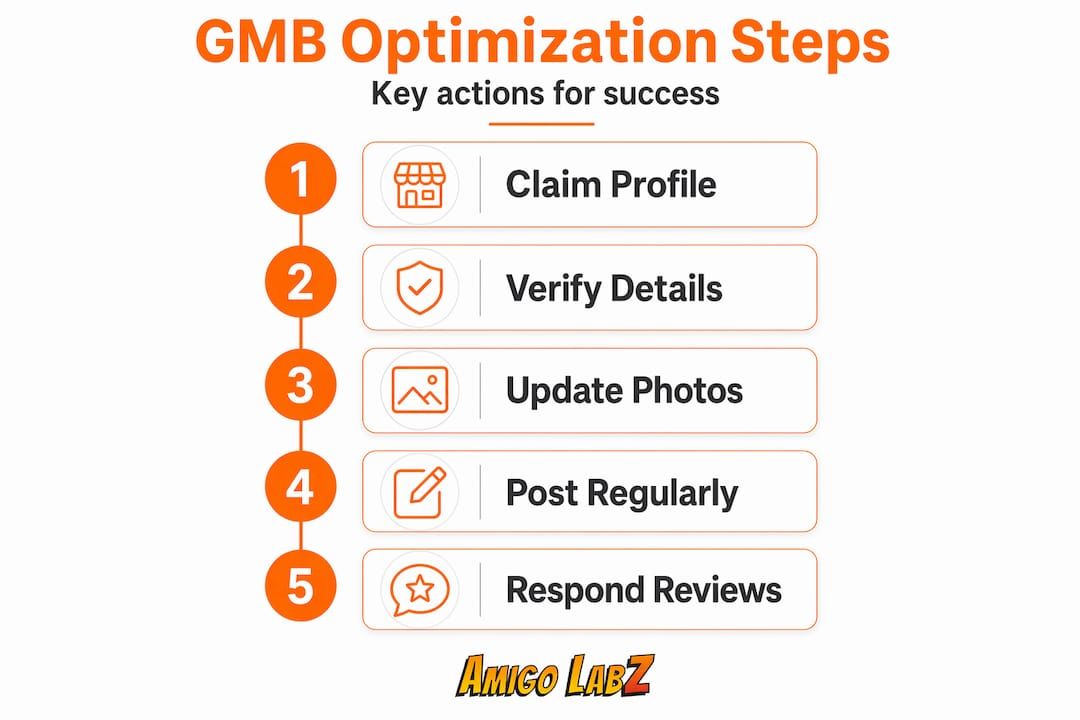
Here is a quick comparison of passive versus active profile management and the real-world impact:
| Activity | Passive approach | Active approach | Impact |
|---|---|---|---|
| Photos | Upload once at setup | Add 1 to 2 photos weekly | Higher profile views and engagement |
| Posts | Never used | Weekly updates on offers or news | Increased click-through and session signals |
| Reviews | Wait and hope | Ask every customer, respond to every review | Trust signals and higher local rankings |
| Q&A | Leave blank | Write your own questions and answers | Controls narrative, reduces misdirected calls |
| Schema markup | None on website | LocalBusiness schema on every location page | Rich snippets and AI answer eligibility |
The AI angle is no longer optional. AI systems now rely heavily on GBP data to serve local search answers. When someone asks Google's AI overview "who does roof repair near me," the businesses that get cited have complete, consistent, frequently updated profiles. Your GBP is now feeding a machine that decides whether you get mentioned at all.
LocalBusiness schema markup on your website works alongside your profile by giving search engines explicit, structured data about your business. Add it to your homepage and any location-specific pages. Pair that with consistent citations across directories like Yelp, Bing Places, and Apple Maps to reinforce your local authority signal.
Pro Tip: Read the Amigolabz guide on dominating local search for a step-by-step breakdown of how profile activity and Map Pack rankings connect in 2026.
Common mistakes that hurt your profile
Even well-maintained profiles fall into patterns that quietly drag down performance. Here are the ones Amigolabz sees most often across client audits:
- Inconsistent NAP data. Inconsistent formats across directories dilute local SEO signals. "St." versus "Street" or "Suite" versus "Ste." can matter more than you expect.
- No response to negative reviews. Ignoring a one-star review is worse than a polite, professional reply. Google and potential customers both notice.
- Outdated or low-quality photos. A dark, blurry storefront photo from five years ago signals neglect. Replace it with current, well-lit images.
- Ignoring the Q&A section. Anyone can post a question, and anyone can answer it. If you leave it unmoderated, customers or competitors may post inaccurate information.
- Skipping the posts feature. Google Posts appear on your profile in search results and expire after seven days. A blank posts section tells Google your profile is dormant.
- Not auditing for duplicates. Old addresses, franchisee-created listings, and auto-generated profiles can create duplicates that split your authority and confuse customers.
Regular audits using content optimization practices that professional agencies apply to their clients translate directly into better GMB performance when applied to your profile content strategy.
My take on what most businesses get wrong
I've worked with local businesses long enough to say this plainly: the biggest missed opportunity I see is not a missing keyword or a bad photo. It's the complete absence of an ongoing strategy.
Most business owners treat their Google Business Profile the way they treat their business license. File it once, put it in a drawer, and forget it. Then they wonder why a competitor with half their experience is ranking above them in the Map Pack. That competitor uploads photos every week. They respond to reviews within 24 hours. They post updates. Those signals compound over time.
What surprised me the most when working with reinstatement cases is how often a suspension comes from an edit that seemed completely harmless, like updating a phone number. Google's automated systems flag sudden changes on accounts with thin activity histories. The businesses with consistent, regular activity tend to recover faster and face fewer false-positive suspensions because they have established behavioral patterns Google trusts.
The AI shift has also changed how I think about local profile management. If your profile doesn't have hours, services, photos, and a clear description, you are invisible to the AI overview results that now dominate mobile search. Boosting local visibility is no longer just about the Map Pack. It's about feeding the machine the right data so you get mentioned when someone asks a voice assistant or uses an AI search feature.
My practical advice: block 30 minutes every week for your profile. That alone puts you ahead of the majority of your competitors.
— John
Ready to stop guessing and start ranking?
Managing a local GMB profile well takes consistency, strategy, and a clear understanding of how Google evaluates and ranks local businesses. If you are spending that time running your actual business, that's completely understandable. That's exactly the gap Amigolabz fills for business owners across New Jersey and the country.

The team at Amigolabz offers profile audits, suspension reinstatement support, photo and content management, review strategy, and full local SEO services built specifically around Google Business Profile optimization. Whether you need a one-time cleanup or ongoing management that keeps your profile active and competitive, the approach is always built around your business, not a generic template. You can also explore Google Business optimization services for a closer look at how the process works. Book a complimentary profile assessment and find out exactly where your listing stands and what it would take to outrank your local competition.
FAQ
What is a local GMB profile?
A local GMB profile, now officially called a Google Business Profile, is a free listing that controls how your business appears on Google Search and Google Maps. It displays your name, address, hours, photos, reviews, and services to local searchers.
How long does GMB verification take?
Postcard verification typically takes 5 to 14 days. Video and phone verification can be completed within minutes to a few hours, depending on your business type and whether your information matches Google's existing records.
Why was my Google Business Profile suspended?
Common causes include keyword stuffing in the business name, duplicate listings, address mismatches, and sudden profile edits on accounts with low activity. Suspension removes your listing immediately, so identifying the root cause before appealing is critical.
How often should I update my GMB profile?
At a minimum, upload a new photo weekly, post an update at least once a week, and respond to all new reviews within 48 hours. Regular posting and review management are active ranking signals Google uses to evaluate profile quality.
Does my website affect my GMB ranking?
Yes. Adding LocalBusiness schema markup to your website and keeping your NAP data consistent across your site and your profile strengthens your local authority. Schema markup feeds search engines the structured data they need for AI-generated answers and rich snippets.
Recommended