How to Create a Content Calendar That Drives Results
How to Create a Content Calendar That Drives Results

TL;DR:
- A content calendar organizes publishing by channels and goals to ensure consistent marketing efforts. It connects each content piece to strategic pillars, making planning a decision-making process rather than a chore. Using clear fields, layered horizons, and buffer space, teams can plan, review, and adapt for long-term success.
A content calendar is a strategic planning tool that maps what content you publish, on which channel, and when, so your marketing stays consistent and connected to real business goals. Knowing how to create a content calendar is the single most practical skill a marketer or business owner can develop in 2026. Consistent publishing drives 55% more website visitors than inconsistent publishing. That gap closes the moment you move from ad hoc posting to a structured monthly content schedule. Amigolabz works with business owners across New Jersey and Nevada who see this shift pay off in measurable engagement within weeks.
How to create a content calendar that actually works
A content calendar fails when it functions as a to-do list rather than a strategic roadmap. Calendars must connect every post to a business outcome through 3–5 content pillars tied to revenue, lead generation, or audience growth. The moment you anchor each entry to a pillar, the calendar stops being a chore and starts being a decision-making tool. That shift is what separates teams that publish consistently from teams that scramble every week.

The industry term for this approach is an editorial calendar , and it goes beyond a simple spreadsheet. An editorial calendar tracks not just dates but ownership, status, channel, keyword focus, and downstream distribution. Building yours around these elements from day one prevents the most common calendar failures.
What essential components make up a successful content calendar?
A functional content calendar requires specific data fields to stay useful under real production pressure. Experts recommend including these core fields in every calendar entry:
- Publication date: The confirmed go-live date, not a rough target
- Content owner: The person responsible for delivery, not just the writer
- Status: Draft, in review, approved, scheduled, or published
- Channel: Blog, Instagram, LinkedIn, email, YouTube, or other
- Primary keyword or topic: The search term or theme the piece targets
- Call to action: What you want the reader to do after consuming the content
- Repurposing notes: How this piece gets reused across other formats
- Estimated effort hours: Realistic time allocation to prevent overloading your team
Advanced calendars also flag content refresh dates. Setting a 6 or 12-month refresh trigger for each published piece keeps your library current and protects your search rankings over time.
Pro Tip: Add a "repurposing" column from day one. A single blog post can become a LinkedIn carousel, an email newsletter, and three social captions. Tracking this in the calendar multiplies your output without multiplying your workload.
Which tools and templates work best for managing a content calendar?
Tool choice should follow your process, not dictate it. Centralized workflows with clear approval steps reduce delays more than any feature set does. The right tool is the one your team will actually use every week.
Three broad categories cover most teams:
- Spreadsheets: Google Sheets or Excel work well for solo operators and small teams. They are free, flexible, and easy to share. The downside is manual status tracking and no built-in notifications.
- Project management platforms: Tools in this category add task assignment, deadline alerts, and comment threads. They suit teams of three or more where approval loops create bottlenecks.
- Specialized content calendar platforms: These include built-in publishing integrations, social media preview features, and analytics dashboards. They cost more but reduce the gap between planning and execution.
| Feature category | Spreadsheet | Project management | Specialized platform |
|---|---|---|---|
| Cost | Free | Low to mid | Mid to high |
| Approval workflow | Manual | Built-in | Built-in |
| Publishing integration | None | Limited | Full |
| Best for | Solo or small teams | Growing teams | Multi-channel operations |
| Learning curve | Low | Medium | Medium to high |
Pro Tip: Start with a spreadsheet-based content calendar template to validate your workflow before investing in a paid platform. Switching tools is far easier than fixing a broken process inside an expensive system.
A content marketing checklist aligned with your tool choice keeps your team on track during the transition from planning to production.
How to plan your content calendar strategically
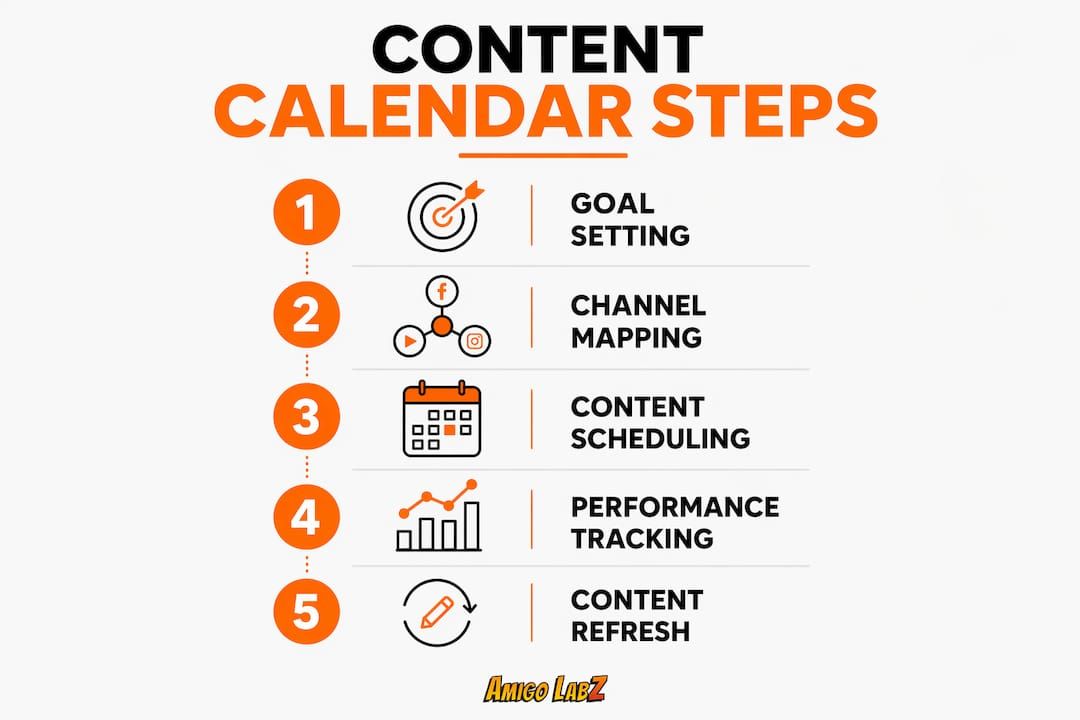
Strategic planning separates a calendar that drives results from one that just fills dates. Follow these steps to build a calendar your whole team can execute.
-
Define 3–5 content pillars. Each pillar represents a core topic area tied directly to a business goal. A law firm might use "client education," "case results," and "local legal news" as its three pillars. Every piece of content maps to one of them.
-
Build topic clusters under each pillar. Topic clusters anchored by a pillar post, with 8–15 interlinked supporting posts, build topical authority that search engines and AI systems recognize. Random article lists do not produce the same effect.
-
Set your planning horizon. Plan content 4–6 weeks ahead for steady operations. Seasonal businesses and crisis-prone industries should plan 2–3 months or more in advance. That buffer protects your schedule when production slows down.
-
Layer your calendar across four horizons. Successful calendars operate at annual, quarterly, monthly, and weekly levels. Annual themes set the direction. Quarterly campaigns define the focus. Monthly briefs assign the work. Weekly execution delivers the output. Each horizon has its own owner and review cycle.
-
Balance your content mix. A recommended split is roughly 60% evergreen content, 20% seasonal content, and 20% reactive content. Evergreen pieces build long-term traffic. Seasonal content captures timely demand. Reactive content keeps your brand relevant during news cycles.
-
Assign ownership and build in buffer time. Every calendar entry needs a named owner, not just a department. Buffer time between draft submission and publish date catches errors before they go live.
A social media and digital marketing guide can help you align your calendar entries with the right channels for each audience segment.
What best practices keep your content workflow on track?
Production management is where most content calendars break down. Clear roles and defined timelines prevent the approval bottlenecks that kill publishing schedules.
- Define three roles for every piece: owner, contributor, and approver. The owner is accountable for delivery. The contributor creates the content. The approver signs off before publishing.
- Set SLAs for every stage. Without explicit service-level agreements for edits and approvals, approval bottlenecks cause missed publication windows. A 48-hour review SLA is a reasonable starting point for most teams.
- Use reverse scheduling. Work backward from the publish date to set deadlines for brief, draft, edit, SEO check, and final approval. This makes delays visible before they become problems.
- Centralize all feedback. Comments scattered across email, Slack, and Google Docs create version confusion. One tool, one thread, one source of truth.
- Reserve 10–15% of your calendar for reactive content. Static calendars fail because they leave no room for trending topics, breaking news, or unexpected opportunities. That buffer keeps your calendar flexible without sacrificing structure.
Pro Tip: Color-code your calendar by content pillar. At a glance, you can see whether your schedule is balanced across topics or whether one pillar is crowding out the others.
How do you measure and improve your content calendar over time?
Measurement turns a content calendar into a learning system. Without it, you repeat what feels good rather than what actually works.
Set SMART goals for each calendar entry before publication. A blog post targeting "small business tax tips" should have a defined traffic goal, a target keyword ranking, and a conversion action attached to it. Vague goals produce vague results.
- Track metrics weekly, not monthly. Weekly KPI reviews are more effective than monthly reviews because they allow prompt action before opportunities close. Traffic, engagement rate, and conversion rate are the three core metrics to watch.
- Build content refresh triggers into the calendar. Traffic drops over 20%, keyword ranking losses, or data that is more than 12 months old all signal that a piece needs updating. Flag these automatically so nothing slips through.
- Run quarterly pillar reviews. Every three months, assess which pillars are driving traffic and conversions and which are underperforming. Shift your content mix accordingly.
- Use AI-friendly content structures. Clear headings, direct answers in the first paragraph, and named entities improve the chance that AI tools cite your content. This is a growing traffic source that most marketers still ignore.
Pairing your calendar with SEO best practices for small businesses ensures each piece targets the right keywords and earns organic traffic over time.
Key Takeaways
A content calendar works only when every entry connects to a defined business goal, a named owner, and a measurable KPI.
| Point | Details |
|---|---|
| Connect posts to pillars | Map every piece of content to one of 3–5 strategic pillars tied to a business outcome. |
| Use all required fields | Include publish date, owner, status, channel, keyword, CTA, and repurposing notes in every entry. |
| Layer your planning horizons | Operate at annual, quarterly, monthly, and weekly levels with distinct owners for each. |
| Reserve buffer space | Keep 10–15% of your calendar open for reactive content to stay flexible without losing structure. |
| Review metrics weekly | Weekly KPI tracking catches underperforming content faster and reduces wasted production effort. |
Why most content calendars drift within 60 days
Most calendars I have seen fail not because the plan was bad but because the team conflated planning and execution. They put next quarter's campaign ideas in the same view as this week's production tasks. That mix creates noise, and noise creates drift.
The fix is strict horizon separation. Annual themes live in one document. Quarterly campaigns live in another. Weekly execution lives in the tool your team opens every morning. When those layers bleed together, the calendar becomes overwhelming and people stop trusting it.
The second mistake I see constantly is building a calendar around content formats instead of content pillars. "We need two blog posts and four Instagram reels this week" is a production target, not a strategy. When you anchor your schedule to pillars and clusters instead, every piece has a reason to exist beyond filling a slot.
The teams that get this right treat their calendar like a living document. They review it weekly, adjust it monthly, and rebuild it quarterly. They also protect their buffer space fiercely. The 10–15% reserved for reactive content is not slack. It is the mechanism that lets a disciplined calendar respond to the real world without falling apart.
— John
How Amigolabz can support your content calendar execution
Building a content calendar is one thing. Executing it consistently across multiple channels while tracking performance is another challenge entirely.

Amigolabz works with business owners across New Jersey and Nevada to plan, produce, and publish content that connects to real marketing goals. From social media management that keeps your calendar running on schedule to SEO services that ensure each piece targets the right keywords, the team at Amigolabz handles the execution so you can focus on running your business. If you are ready to move from scattered posting to a calendar that actually drives results, book a call and get a plan built around your specific goals.
FAQ
What is a content calendar?
A content calendar is a planning tool that schedules what content you publish, on which channel, and when. It connects each piece to a business goal and keeps your team aligned on deadlines and ownership.
How far in advance should I plan my content calendar?
Plan content 4–6 weeks ahead for steady operations. Seasonal or crisis-prone businesses should plan 2–3 months or more in advance to protect their publishing schedule.
How many content pillars should a content calendar have?
Most effective calendars use 3–5 content pillars, each tied to a specific business outcome such as revenue, lead generation, or brand awareness.
What metrics should I track in my content calendar?
Track traffic, engagement rate, and conversion rate weekly. Flag any piece that drops more than 20% in traffic or loses keyword ranking as a candidate for a content refresh.
Do I need a paid tool to manage a content calendar?
A spreadsheet works well for solo operators and small teams. Paid project management or specialized calendar platforms add value when your team grows beyond three people or when you manage multiple channels simultaneously.
Recommended