90 Day Plan to Get Website Traffic for Small Business Owners
90 Day Plan to Get Website Traffic for Small Business Owners

The channels that actually move the needle are SEO, content, social and video, email, paid search, and partnerships, in roughly that order of durability. Start by connecting Google Search Console so you know what's already ranking, fix the technical issues dragging pages down, then layer content, distribution, and paid tests on top. This article breaks down each channel and closes with a 90-day sequence built for teams with limited time and a real budget.
TL;DR:
- Prioritize fixing technical SEO issues, including Core Web Vitals, before investing heavily in new content or paid campaigns.
- Focus on creating content that directly answers real search questions and aligns with customer interests to improve rankings and conversions.
- Use social media platforms differently: optimize YouTube for search, hook TikTok viewers quickly, and tailor LinkedIn posts for B2B engagement.
- Build and segment an email list to drive consistent traffic through targeted content, updates, and limited-time offers, ensuring compliance with legal regulations.
- Execute a structured 90-day plan, starting with audits and stabilization, then expanding outreach, content creation, and paid testing, to sustainably grow site traffic.
How to Get Website Traffic Through SEO and Technical Fixes
Search Console is where every SEO decision should start. The Performance report shows which queries already bring impressions and clicks, the Coverage report flags pages Google won't index, and URL Inspection lets you test a specific page against Google's live index before you waste time guessing why it's not showing up. If you haven't submitted a sitemap, do that first. It's a five-minute task that tells Google exactly which pages you consider worth crawling.
Once you can see the data, run through an on-page checklist for your highest-opportunity pages: unique title tags under 60 characters, meta descriptions that state a real benefit, one H1 per page, and header structure that matches how people actually search. Match the page to the intent behind the query. A page targeting "how to get website traffic" should read like a guide, not a sales page, because that's what the searcher wants. Basic structured data (FAQ schema, product schema, local business schema depending on your site) helps Google understand context faster and can win you a richer snippet.
Page speed is where most small business sites lose visitors before SEO even matters. Google's benchmarks for Core Web Vitals are Largest Contentful Paint (LCP) under 2.5 seconds, Interaction to Next Paint (INP) under 200 milliseconds, and Cumulative Layout Shift (CLS) under 0.1. These aren't arbitrary numbers. They're tied to real user frustration, and Google's own documentation links them to page experience and Search performance.
Most LCP problems trace back to unoptimized images and JavaScript that blocks rendering before the main content loads. The fixes are straightforward:
- Compress and resize images before upload; serve modern formats like WebP instead of PNG or uncompressed JPEG.
- Defer or async non-critical JavaScript so it loads after the visible content.
- Use a caching plugin or a content delivery network if your host doesn't handle this natively.
- Fix broken redirect chains. Each extra hop adds load time and can leak link value.
- Resolve 404 errors on pages that still get traffic or backlinks, either by restoring the content or redirecting to the closest live equivalent.
- Add canonical tags on any pages with duplicate or near-duplicate content to stop Google from splitting ranking signals.
- Confirm HTTPS is active site-wide with no mixed-content warnings.
Internal linking is the cheapest ranking lever most sites ignore. When you publish a new post, link to it from two or three older, higher-authority pages, and link back from the new post to a page you actually want to rank. This tells Google which pages matter most on your site and moves visitors toward the content that converts.
One more decision point trips up a lot of site owners: when do you write a new page versus update an existing one? If a page already ranks in the top 20 for a valuable term and just needs fresher information or better structure, update it. Google rewards freshness on time-sensitive topics. If no page on your site addresses the topic at all, or the existing page targets a completely different intent, write something new instead of trying to bend an old page into a shape it wasn't built for.
Pro Tip: Before writing a single new page, run your top 20 Search Console queries through the Performance report filtered to "position 8 to 20." Those are pages already close to page one. A small technical or content push there usually beats writing something brand new from scratch.
What Content Actually Attracts and Converts Visitors?
Content built to rank first and help people second tends to underperform, and Google has said as much directly: its guidance on people-first content asks creators to consider "why was this content created?" before anything else. If the honest answer is "to rank," rework the angle. If it's "because customers keep asking this exact question," you're already ahead of most competitors.
Plan content against two filters at once: what your audience actually searches for, and what moves them closer to buying from you. A landscaping company doesn't need ten posts about lawn care history. It needs one strong guide on choosing a landscaper in its service area, one on seasonal maintenance costs, and a handful of shorter posts answering the specific questions that show up in customer calls.
Four formats cover most of what a small business site needs:
- Cornerstone guides. Long-form, comprehensive pages built to rank for a competitive head term and stay relevant for years. This article is one example of the format.
- Evergreen how-tos. Shorter, direct answers to specific questions your customers ask repeatedly. These are often the fastest pages to rank because the intent is narrow.
- Short blog updates. Timely posts tied to seasonal demand, local events, or industry news. They keep the site active and give you something fresh to share on social.
- Video explainers. A two-minute video walking through a service, a before-and-after, or a common question performs well embedded on-page and repurposed across platforms.
Headlines and visuals decide whether anyone clicks through at all. A headline that states a specific outcome or number beats a vague one nearly every time, and a strong featured image or a short video thumbnail increases both click-through and social shares. Don't treat these as afterthoughts you add after writing.
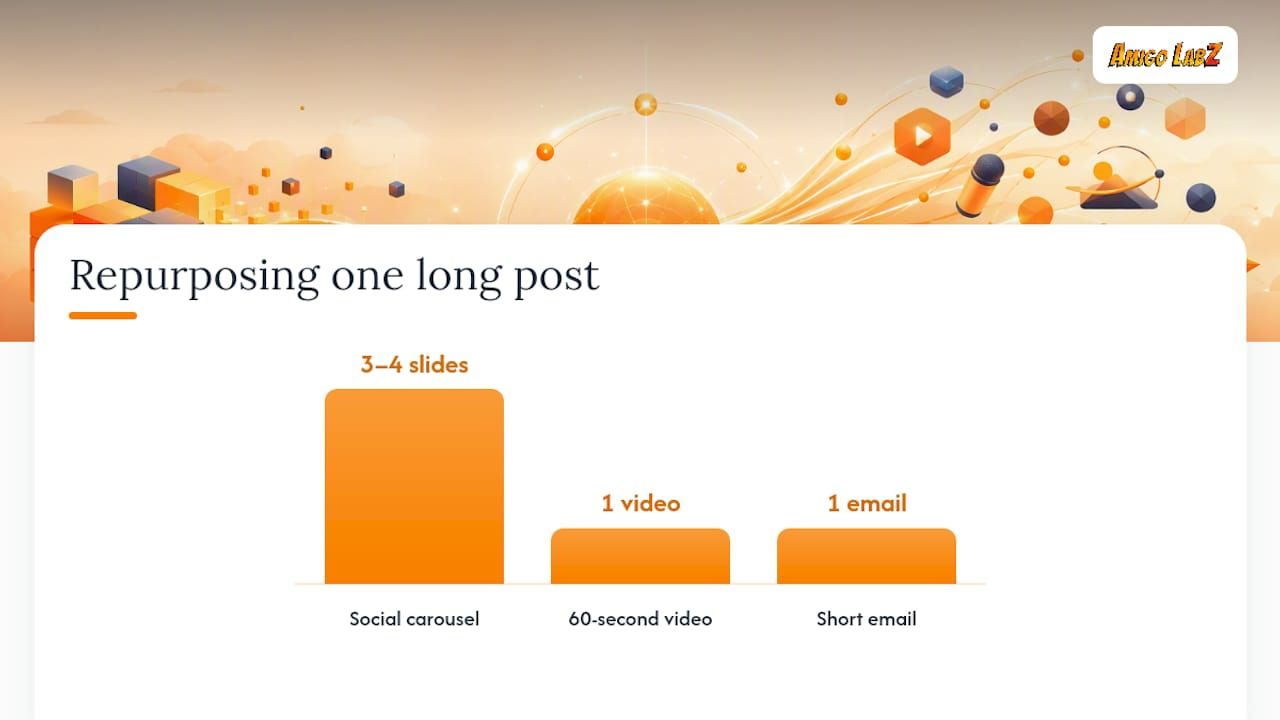
Get more mileage from every long-form post by breaking it into smaller pieces after publishing. Pull three or four key points into a carousel for Instagram or LinkedIn, cut a 60-second video from any video content tied to the post, and turn the core insight into a short email to your list. One well-researched post can fuel two weeks of smaller content without any new research.
Content needs maintenance the same way a storefront needs upkeep. Review your older posts twice a year. Update statistics and outdated advice, merge thin posts covering overlapping topics into one stronger page, and either improve or remove posts that get no traffic and add no value. A smaller site of genuinely useful pages outperforms a bloated one full of thin, outdated content.
Pro Tip: Keep a running list of every question a customer asks you by phone or email for one month. That list is a better content calendar than any keyword tool, because it's proof people are already searching for those exact answers.
Which Social Platforms Actually Drive Visitors to Your Site?
Social platforms are still a major gateway to content, not just a place people scroll past. As of recent years, a majority of U.S. adults get news from social media at least sometimes, according to Pew Research, with Facebook and YouTube leading and TikTok's share growing substantially according to Pew Research. That means video and short-form content aren't optional add-ons anymore. They're often the first touchpoint before someone ever lands on your site.
Each platform rewards a different approach, and treating them all the same is the most common mistake business owners make:
- YouTube: Write titles and descriptions the way you'd write an SEO title tag. YouTube functions as a search engine in its own right, and a well-optimized description with a link back to your site does double duty.
- TikTok: Hook viewers in the first three seconds and drive them to a link in your bio, since the platform limits in-video links. Short, direct, and useful beats polished every time.
- LinkedIn: Long-form posts and genuine industry perspective perform best for B2B audiences. Skip the hard sell; share what you actually know.
- Instagram and Facebook: Stories and shoppable posts shorten the path from attention to action, especially for service businesses with visual proof (before-and-afters, project photos).
Whatever you post, repurpose it to fit the platform's native format instead of cross-posting the same square image everywhere, and put one clear call to action pointing to a specific landing page, not just your homepage.
Working with local creators or niche community accounts extends your reach faster than posting alone ever will. A modest paid boost behind a post that's already performing organically often costs less and converts better than starting a campaign from zero. For more ideas on borrowing tactics that work in media and video, the promotion strategies used across the media and video production industry translate surprisingly well to local service businesses.
None of this matters if you're only watching likes and follower counts. Track referral traffic in your analytics by source, watch session quality (time on page, bounce rate) for visitors coming from social, and measure how many of them actually convert. A viral post that sends 5,000 visitors who all leave in four seconds is worth far less than a quiet post that sends 200 visitors who read three pages.
Can Email Marketing Still Drive Real Traffic?
Yes, and it's often the most underused channel on a small business site. An email list is the only audience you fully own. It doesn't disappear because a platform changes its algorithm.
Segment your list from the start rather than blasting everyone the same message. A new subscriber needs a welcome sequence, an existing customer wants editorial or update content, and a lapsed subscriber needs a re-engagement nudge, not another sales pitch. Match the content to where that person actually is.
A few email types reliably pull people back to the site:
- Content roundups that link to your three best recent posts, framed around a theme instead of just a list of links.
- Product or service updates when you add a new offering or change how something works.
- Event invitations , whether that's a local workshop, a webinar, or a seasonal promotion.
- Time-limited offers that create a real reason to click today instead of bookmarking for later.
Every commercial email also has to meet legal minimums. Under the CAN-SPAM Act, the FTC requires that a commercial message clearly identify itself as an advertisement, include a valid postal address, and provide a working opt-out link that you honor promptly. Skipping any of these isn't just risky. It's a compliance failure that can cost far more than the campaign was worth.
Subject lines and preview text decide open rates before anyone reads a word of your content. Test two subject-line variants on a portion of your list before sending to everyone, and write preview text that adds new information instead of repeating the subject line word for word.
Track email performance the same way you track any other channel: sessions attributed to email, click-through rate on each link, and what those visitors do once they land. A fresh set of email campaign ideas can help if your current sends have gone stale.
When Should You Use Paid Ads to Drive Traffic?
Paid traffic works fastest when your landing page is already good. If you're sending money to a page that hasn't been tested for clarity or speed, you're paying to expose a weak page to more people, not fixing the actual problem.
Start by choosing the right campaign goal, not just the right platform. Google Ads includes a dedicated "Website traffic" campaign objective built for exactly this use case, and Google's own guidance suggests a Search Network click-through rate of roughly 1% or higher as a reasonable benchmark for a healthy campaign. If your CTR sits well under that, the ad copy or targeting needs work before you spend more.
- Match the campaign goal to the page. If the landing page is built to inform, run a traffic campaign. If it's built to sell directly, run a conversion campaign instead. Sending conversion-intent budget to an informational page wastes spend.
- Align the landing page before launching. One clear offer, one clear call to action, and a page that loads fast. A page that fails Core Web Vitals will quietly bleed your ad budget through abandoned sessions.
- A/B test one variable at a time. Test the headline, then the image, then the audience. Testing everything at once tells you nothing about what actually worked.
- Layer in remarketing. Visitors who didn't convert the first time are cheaper to bring back than new visitors are to acquire. A modest remarketing budget alongside your main campaign usually pays for itself.
Set your budget around a realistic cost per useful session, not raw clicks. A cheap click that bounces immediately costs you more in wasted spend than a slightly pricier click that reads three pages and joins your email list. If your own site needs a rebuild before ads make sense, website design services built for conversion are worth pricing out before you commit ad budget to a page that isn't ready.
Pro Tip: Run a small $10 to $20 per day test campaign for one week before committing to a full monthly budget. You'll learn more from real click data than from any amount of keyword research.
How Do Backlinks and Partnerships Bring in Traffic?
Links earned through genuine relevance still outperform anything manufactured. Guest contributions to sites your customers already read, curated resource pages that list you alongside real value (not link farms), press mentions tied to something newsworthy you actually did, and creator collaborations all send both traffic and ranking signal.
Sponsored content works too, as long as it's disclosed clearly and placed where the audience overlap is real. B2B businesses in particular have several workable formats to pull from, including the sponsored content types used across LinkedIn and B2B marketing right now.
A pitch that gets a response is short and specific:
- Name the exact piece of content or partnership you're proposing, not a vague "let's collaborate."
- State the value for their audience first, and your ask second.
- Link to one relevant example of your work, not five.
- Keep the whole pitch under 150 words. Longer pitches get skimmed or ignored.
Avoid paid link schemes and reciprocal link farms entirely. Google's guidance treats these as manipulative, and the traffic they bring is usually low quality anyway. Focus instead on relevance: would this partner's audience actually want to click through to your site?
Once a partnership goes live, track it like any other channel. Referral sessions, time on page, and downstream conversions tell you whether that partner's audience actually matches yours, which matters more than the raw number of backlinks you accumulate. Time your outreach to launch alongside new cornerstone content or a real news hook. A pitch tied to something timely gets picked up far more often than a generic request sent on a random Tuesday.
Which Tools Should You Check First to Prioritize Your Work?
Search Console stays the anchor for every SEO decision, because it's the only source showing exactly how Google sees your site. Beyond the Performance and Coverage reports already covered, check the Countries filter if you serve multiple regions. A sudden shift in country-level impressions often points to a technical issue before it shows up anywhere else.
Pair Search Console with your analytics platform (GA4 or an equivalent) so you can connect traffic sources to actual behavior and conversions, not just session counts. Traffic without context tells you almost nothing about whether it's working.
For technical health, run Lighthouse or PageSpeed Insights monthly on your top five pages. Both tools translate Core Web Vitals into a specific, prioritized list of fixes rather than a vague speed score.
Once you have the data, prioritize with a simple impact-versus-effort filter instead of trying to fix everything at once:
| Priority | Impact | Effort | Example |
|---|---|---|---|
| Do first | High | Low | Fix a page stuck at position 8 to 20 with a title tag rewrite |
| Schedule next | High | High | Rebuild a slow, high-traffic page for Core Web Vitals |
| Fit in when possible | Low | Low | Update a stale statistic on a low-traffic post |
| Reconsider | Low | High | Rewrite a page that gets almost no impressions at all |
Pick two or three items from the "do first" row every sprint instead of trying to clear your entire list at once. Momentum on a handful of high-impact fixes beats a scattered effort across twenty small ones.
When traffic suddenly drops, run this checklist before panicking: check Search Console for manual actions or security issues first, confirm the site is still crawlable and hasn't accidentally been set to noindex, compare the drop against a known algorithm update, and check whether a competitor recently outranked you on your top queries. Most "mystery" drops trace back to one of these four causes.
The Amigo Labz 90-Day Playbook for Business Owners
A 90-day cycle gives you enough runway to see real movement without losing focus halfway through. Here's how to sequence it if you're managing this yourself alongside running the business.
- Weeks 1 to 2: Audit and stabilize. Connect Search Console and analytics if they aren't already tracking properly. Fix anything actively bleeding traffic, like broken redirects, missing HTTPS, or a Core Web Vitals score in the red. Update titles and meta descriptions on your five highest-impression, lowest-click pages. These are quick wins that don't require new content.
- Weeks 3 to 6: Build the engine. Publish one cornerstone guide targeting your highest-value topic. Launch a small paid search test (traffic goal, modest daily budget) to start collecting click data. Set up your email welcome sequence and start collecting subscribers through a simple lead magnet or content upgrade.
- Weeks 7 to 10: Expand reach. Start outreach for guest content or partnership placements, timed around your cornerstone guide. Repurpose that guide into short video and social content across two platforms. Expand your paid audience based on what the first test taught you, and start remarketing to visitors who didn't convert.
- Weeks 11 to 12: Scale and document. Identify which channel produced the best cost per useful session and which content pulled the most engaged traffic. Put more budget and time behind the winners, document what worked, and use that data to plan the next 90-day cycle instead of starting from guesswork again.
A prioritized 90-day traffic playbook can walk through this sequence in more depth if you want the longer version, and a fast, repeatable system for improving traffic covers the operational side once the first cycle is running.
Pro Tip: Adjust the pace to your team size before you start. A solo owner might stretch this to five or six months. An agency-supported team can often compress it into 60 days. The sequence matters more than the exact calendar.
Why the Basics Still Beat the Shortcuts
Most business owners overcorrect toward tactics instead of fundamentals. They chase a viral TikTok format or a link-building hack instead of fixing a slow page that's already losing the visitors they've paid to acquire. The uncomfortable truth is that the highest-leverage work in this whole plan is also the least exciting: audit your Search Console data, fix Core Web Vitals, and write content that actually answers a real question.
Google's own E-E-A-T guidance points at the same idea from a different angle: content built on genuine first-hand expertise holds up over time, while automated or shortcut-driven content tends to decay fast once Google's systems catch up to it. That's not a reason to avoid AI tools or automation entirely. It's a reason to keep a real person's judgment in the loop on anything you publish, especially in a market where competitors will happily cut that corner.
The other pattern worth naming: businesses that treat traffic channels as separate silos almost always underperform businesses that connect them. The email list feeds the paid remarketing audience. The cornerstone content feeds the social clips. The backlink outreach happens around the content launch, not months later. None of these channels work as well in isolation as they do stacked together on the same 90-day calendar.
Where this genuinely gets hard is time. A solo business owner running a real operation rarely has forty hours a month to audit, write, test, and repeat consistently. That's less a flaw in the plan and more a honest constraint worth naming before you commit to doing all of it alone.
— John
Ready to Put This Plan Into Action?
Everything in this article is doable in-house, but doing it consistently for 90 days while also running your business is a different challenge entirely. Amigolabz exists for the business owner who wants this exact playbook executed without becoming a part-time marketer to make it happen.

Amigolabz's team in New Jersey and Nevada builds and manages the full stack this article covers: website design for pages that actually convert paid traffic instead of wasting it, SEO to handle the technical fixes and content strategy from Sections 1 and 2, Google Ads and Facebook Ads management for the paid testing framework, social media management to keep the content engine running across platforms, Google Business Optimization for local visibility, and ongoing WordPress management to keep the site fast and secure once it's built.
If you have the internal time and a person willing to own this calendar every week, run it yourself. If you'd rather hand the execution to a team that customizes the strategy to your business instead of running a generic template, book a call with Amigolabz and walk through where your site stands today.
Where to Go for the Original Guidance
For the technical and policy details behind this playbook, these are the primary sources worth bookmarking: Google Search Central for Search Essentials and general SEO guidance, the Core Web Vitals reference for current performance thresholds, Google Ads Help for campaign goal and bidding documentation, the Pew Research social media and news fact sheet for platform consumption trends, and the FTC's CAN-SPAM compliance guide for email marketing law. Each one is free, kept current by the organization that owns the standard, and worth checking directly rather than relying on secondhand summaries.
Sources
FAQ
How Can I Get Traffic to My Website?
Prioritize the channels covered in this article in order: fix technical SEO issues, publish content matched to real search intent, distribute it through social and video, build an email list, and test paid search once your landing pages are ready. Start with Google Search Console to see what's already working before adding anything new.
How Do I Find the Traffic of a Website?
For your own site, Search Console's Performance report and an analytics platform like GA4 show visitors, sources, and behavior directly. For a competitor's site, third-party estimation tools give rough traffic ranges, though they're not as precise as first-party analytics data.
How Can I Get Free Website Traffic?
Organic search, social media posting, email marketing to an existing list, and earned backlinks from guest content or partnerships all drive traffic without ad spend. The tradeoff is time: these channels take longer to build momentum than paid campaigns do, but the results tend to last longer once established.
What Is the Best Way to Track Website Traffic?
Google Search Console for Search-specific data, paired with an analytics platform like GA4 for full-site behavior and conversions, covers most of what a business needs. For technical health specifically, Lighthouse and PageSpeed Insights show exactly where Core Web Vitals issues are costing you visitors.
Should I Hire an Agency or Handle Traffic Growth Myself?
It depends on available time and internal expertise more than budget alone. If your team can commit consistent hours each week to the 90-day sequence outlined above, DIY execution works. If not, a service like Amigolabz's SEO and paid ad management handles the execution while you run the business.
Recommended