Fix your website visibility: A step-by-step guide
Fix your website visibility: A step-by-step guide

TL;DR:
- Many websites remain invisible due to issues like missing sitemaps, blocked crawlers, or no inbound links. Fixing these technical problems, optimizing local signals, and consistently maintaining your site can improve visibility over time. Partnering with experts ensures sustained growth and helps small businesses rank higher in search results.
You launched your website, shared the link, and waited. Nothing. No calls, no form fills, no traffic from Google. If this sounds familiar, you are not alone. Many websites go unnoticed because of missing sitemaps, robots.txt blocks, noindex tags, slow speeds, crawl errors, or a lack of inbound links. The good news is that every one of these problems has a clear fix, and this guide walks you through each one in plain language built specifically for small business owners in New Jersey and Nevada who are ready to stop guessing and start getting found.
Table of Contents
- Why your website isn't showing up: Core reasons explained
- Essential tools and information you need before troubleshooting
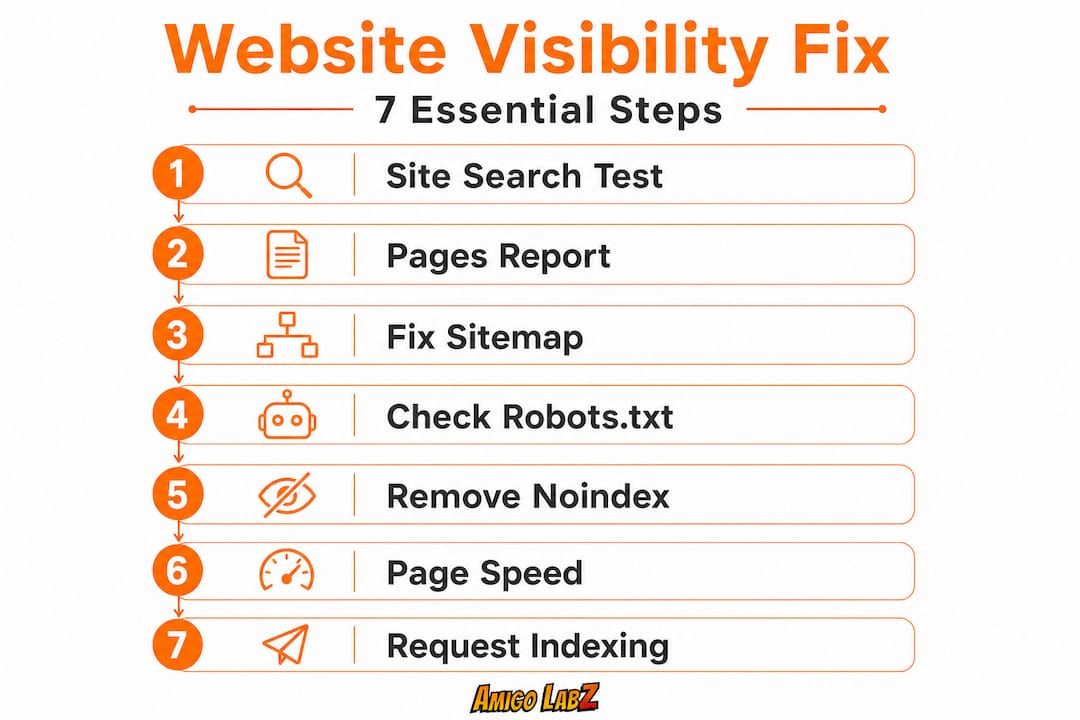
- Step-by-step: How to diagnose and fix visibility issues
- Local business tips: Stand out in New Jersey and Nevada searches
- The truth about website visibility most guides don't tell you
- Grow your visibility with expert help
- Frequently asked questions
Key Takeaways
| Point | Details |
|---|---|
| Check technical basics | Missing sitemaps, robots.txt errors, and noindex tags are top culprits for invisibility. |
| Use diagnostic tools | Google Search Console reveals indexing problems and guides next steps. |
| Fix before you promote | Resolve technical issues first; then pursue targeted SEO and local marketing. |
| Prioritize local signals | Optimize your Google Business Profile and consistency in NAP details to improve map and organic search results. |
Why your website isn't showing up: Core reasons explained
Having acknowledged the problem, let's break down the main issues behind website invisibility. Understanding the root cause saves you hours of frustrating trial and error.
Indexing is the process where Google discovers your pages and stores them in its database so they can appear in search results. A brand new site can sit unindexed for days or even weeks simply because no one has told Google it exists. That alone could explain why your site is nowhere to be found.
Here are the most common culprits behind website invisibility:
- No sitemap submitted. A sitemap is a file that lists all your pages and tells Google where to find them. Without it, Google has to stumble across your pages on its own.
- Robots.txt blocking crawlers. This file controls which parts of your site search engine bots can access. One wrong line can lock Google out of your entire site.
- Noindex tags on pages. Developers sometimes add a "noindex" tag during development to keep pages out of search results. If those tags are never removed before launch, your pages stay hidden.
- Slow page speed. Google uses page speed as a ranking factor. If your site loads in more than 3 seconds, you risk being deprioritized.
- Mobile unfriendliness. Google primarily indexes the mobile version of your site. A site that looks broken on a phone is a major red flag.
- No inbound links. Links from other websites signal to Google that your site is worth indexing and ranking. A new site with zero external links is essentially invisible on the web.
Local search visibility adds another layer. Even if your site is technically indexed, it may not rank for local searches without proper location signals. For a plumber in Newark or a salon in Las Vegas, local signals like Google Business Profile, local citations, and location-specific pages are essential to appearing in front of nearby customers.
All of these common visibility blockers are fixable, but you need to know which one applies to your situation before you can make progress.
Essential tools and information you need before troubleshooting
Now that you know what could be wrong, gather your tools and access before diving in. Jumping into fixes without the right accounts is like trying to repair a car engine without a wrench.
Here are the accounts and access points you need to have ready:
- Google Search Console (GSC) access for your domain
- Admin login to your website's content management system (WordPress, Squarespace, Wix, etc.)
- Web hosting panel access (cPanel, Kinsta, WP Engine, etc.)
- Google Business Profile account linked to your business address
- Access to your robots.txt file (usually found at yourdomain.com/robots.txt)
| Tool | What it does | Cost |
|---|---|---|
| Google Search Console | Shows indexing status, crawl errors, and search performance | Free |
| Google Business Profile | Controls your local listing on Google Maps and Search | Free |
| Robots.txt tester (in GSC) | Tests whether specific pages are blocked from crawlers | Free |
| PageSpeed Insights | Measures load time and gives specific improvement suggestions | Free |
| Screaming Frog (basic) | Crawls your site to surface broken links, missing tags, and redirect issues | Free up to 500 URLs |
The GSC Indexing/Pages report is your most powerful diagnostic tool. It shows you exactly which pages are indexed, which are excluded, and why. Use the "Errors" column to identify robots.txt blocks and noindex issues. Use the "Excluded" section to find pages that Google discovered but chose not to index.

Pro Tip: Set up both the www version ( www.yourdomain.com) and the non-www version ( yourdomain.com) in Google Search Console. Google treats them as two separate websites, so missing one means missing data that could tell you exactly why you are not ranking.
Understanding web design tips related to site structure also helps here. A cleanly designed, well-organized site gives Google's crawler a much easier path through your pages, which directly improves your chances of getting indexed faster.
Step-by-step: How to diagnose and fix visibility issues
With everything ready, walk through each step to pinpoint and resolve the exact visibility issue.
Step 1: Run the site search test. Open Google and type "site:yourdomain.com" into the search bar. If no pages appear, your site is not indexed at all.
Step 2: Open the GSC Pages report. Log into Google Search Console and click "Indexing" and then "Pages." Review the Errors tab first, then the Excluded tab.
Step 3: Fix your sitemap. Go to yourdomain.com/sitemap.xml. If nothing loads, you do not have a sitemap. Install an SEO plugin like Yoast (for WordPress) or use your platform's built-in sitemap tool. Then submit the sitemap URL in GSC under "Sitemaps."
Step 4: Audit your robots.txt file. Visit yourdomain.com/robots.txt. If you see "Disallow: /" under "User-agent: *", Google is blocked from your entire site. Remove that line or update it to allow crawling.
Step 5: Check for noindex tags. In GSC, look for pages labeled "Excluded by 'noindex' tag." For each one, open the page source and search for the text "noindex." Remove that tag from any page you want Google to find.
Step 6: Optimize page speed. Run your site through PageSpeed Insights and address the top recommendations. Common quick wins include compressing images, enabling browser caching, and using a content delivery network (CDN).
Step 7: Request indexing. In GSC, use the URL Inspection tool. Paste your homepage URL, click "Request Indexing," and do the same for your top pages. Note that GSC allows roughly 10 to 12 URL requests per day, so prioritize your most important pages first.
| Fix | Manual method | Automated/plugin method |
|---|---|---|
| Sitemap submission | Upload sitemap file to root directory manually | Yoast SEO or RankMath auto-generates and submits |
| Robots.txt edit | Edit file directly via FTP or cPanel | Use GSC robots.txt tester to preview changes |
| Speed optimization | Manually compress images and minify CSS | WP Rocket or similar caching plugins |
| Noindex removal | Edit page source or template manually | SEO plugin settings panel per page |
| Schema markup | Code JSON-LD blocks directly in page HTML | Schema plugins or Google Tag Manager |
Adding structured data for SEO is one of the most underused fixes in this category. Schema markup (a type of code that describes your business to search engines) helps Google understand your site better and can earn you rich results in search, like star ratings or business hours showing directly under your listing.
After completing these fixes, expect results in roughly 3 to 5 days for indexed pages to begin appearing after a manual request. Some pages take longer depending on your site's authority and crawl frequency.
Pro Tip: If you want faster results from paid search while your organic visibility builds, consider pairing your SEO work with Google Ads visibility to capture traffic immediately while your site gains traction over time.
Local business tips: Stand out in New Jersey and Nevada searches
Once your site is indexed, focus on local best practices to outperform other area businesses. Technical fixes get you into the game. Local optimization wins it.
Build and optimize your Google Business Profile (GBP). This is the listing that appears in the Google Maps block and the "local pack" (the top 3 results on a local search). A complete, verified profile with accurate hours, photos, a business description, and regular posts performs far better than a bare bones listing.
Here is what a strong local presence looks like:
- Consistent business name, address, and phone number (called NAP) across every online directory
- At least 10 to 15 recent Google reviews with responses from the owner
- Business categories that match your actual services
- Photos updated monthly (Google favors active profiles)
- Location-specific service pages on your website (for example, "HVAC repair in Cherry Hill, NJ")
"Businesses with complete Google Business Profiles are 70% more likely to attract location visits than those with incomplete profiles." Keeping your profile updated is not optional in a competitive local market.
Earning local backlinks also matters enormously. A backlink (a link to your site from another website) from the Cherry Hill Chamber of Commerce, a Henderson Nevada business directory, or a local newspaper carries far more weight than a generic link farm. Reach out to local organizations, sponsor community events, or contribute guest posts to regional blogs.
Google Business Profile optimization goes beyond just claiming your listing. It means treating your GBP like a second website, one that you actively manage and update as your business evolves.
Pro Tip: Add location schema markup to your website's homepage and contact page. This structured data tells Google your exact address, service area, and business type in a format it can read instantly. It is one of the most effective fixes for local visibility and takes less than an hour to implement with a plugin.
The truth about website visibility most guides don't tell you
Every visibility guide shows you the steps. Few tell you how long it actually takes or how easy it is to accidentally undo your progress.
Here is something most articles skip: even after you fix every technical issue and submit your sitemap, you might not see results for two to four weeks. That is completely normal. Google's crawl schedule is not instant. New websites without backlinks get crawled less frequently than established sites. Patience is not optional here.
What can cause costly confusion is ignoring details like the www vs. non-www discrepancy. Google treats these as two separate websites. If your site resolves at both addresses without a proper redirect, you are splitting your SEO equity in half. We have seen small businesses in competitive local markets spin their wheels for months wondering why they are not ranking, and the culprit was a missing redirect and unverified GSC property.
Another uncomfortable truth: quick fixes can delay real progress. Chasing shortcut tactics, like submitting your site to 1,000 directories at once or buying cheap backlinks, signals spam behavior to Google and can result in penalties that are far harder to recover from than simply starting clean.
The small businesses in New Jersey and Nevada that consistently show up in search are the ones treating visibility as an ongoing maintenance task, not a one-time project. Your competitors are actively updating their local website improvements, refreshing their content, earning new reviews, and adding new pages. Standing still is the same as falling behind.
Visibility is a continuous practice. The best thing you can do is schedule a monthly audit of your GSC data, review your Google Business Profile performance, and make at least one meaningful content or technical improvement every 30 days. Small, consistent actions over six months will outperform any single burst of activity.
Grow your visibility with expert help
Getting your site indexed and optimized takes time, and keeping up with algorithm changes while running a business is genuinely hard work. That is exactly where a dedicated digital marketing team makes a real difference.

At Amigo Labz, we help small businesses in New Jersey and Nevada cut through the technical noise and build visibility that actually drives customers. Whether you need ongoing SEO services for visibility, a smart campaign to run Google Ads while your organic rankings grow, or a complete local strategy tailored to your specific market, we have the tools and experience to deliver real results. We do not do cookie-cutter fixes. We build relationships and custom strategies. Ready to find out exactly what is holding your site back? Book a call with our team and let's map out the right path for your business.
Frequently asked questions
How long does it take for a new website to appear in Google search results?
It can take anywhere from a few days to several weeks for a new website to show up in Google once it is indexed, since new sites take longer to get crawled without existing backlinks or domain authority.
How can I check if Google has indexed my site?
Search "site:yourdomain.com" in Google, or use the GSC Pages report to see exactly which pages are indexed, excluded, or have errors.
What are the most common technical problems that block website visibility?
The most frequent blockers are robots.txt restrictions, noindex tags, a missing sitemap, slow loading speeds, and pages that are not optimized for mobile devices.
Do I need to verify both www and non-www versions of my website?
Yes, because Google treats www and non-www as entirely separate properties, so you should verify both in Google Search Console to avoid missing critical performance data.
Recommended